Amazon’s fulfillment network processes millions of orders every day without missing a beat. For sellers using FBA, that looks seamless from the outside. Behind it is a highly structured inventory system, one that rewards sellers who understand it and quietly penalizes those who do not.
Related inventory guide: If inventory planning depends on FBA, FBM, reserve stock, or a warehouse partner, read Third-Party Logistics for Amazon Sellers and connect it to Full-Service Amazon Management.
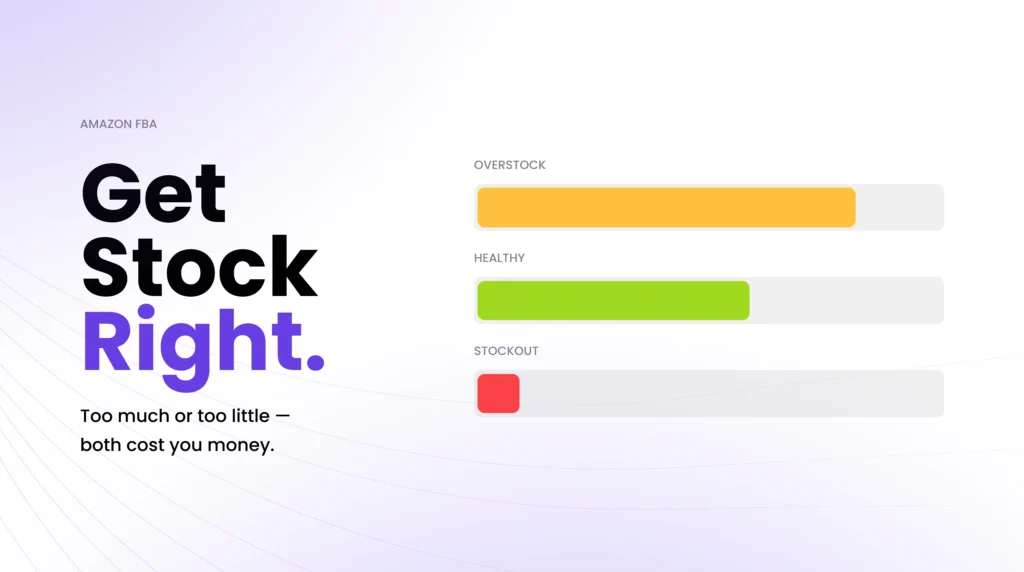
Getting inventory management right on Amazon is not just a logistics task. It determines whether your products are buyable, how your listings rank, what fees you pay, and ultimately how profitable your business is. A stockout costs you sales and ranking—overstocking triggers long-term storage fees and ties up capital. The margin between the two is where well-run Amazon businesses operate.
This guide breaks down how Amazon’s inventory system actually works and, more importantly, how it connects to ranking, advertising, and profitability. Because on Amazon, inventory is not just about stock levels. It is the system that determines whether your business grows efficiently or breaks under pressure.
The Amazon Inventory Flywheel
Demand → Inventory Availability → Sales Velocity → Ranking → Demand
Inventory problems on Amazon are never isolated; they cascade through the entire system. A stockout affects ranking, ranking affects demand, and demand volatility increases inventory risk.
This is why inventory is not just a logistics function; it is a growth system that directly controls ranking, demand, and profitability.
Table of Contents
- What Is Amazon Inventory Management?
- The 6-Stage Amazon Inventory System
- Key Metrics You Must Track
- Where Amazon Inventory Actually Breaks
- Best Practices for Amazon Inventory Management
- Tools and Software for Managing Amazon Inventory
- How Eva Thinks About Inventory Differently
- Managing Inventory Is an Ongoing System, Not a One-Time Setup
- FAQs
What Is Amazon Inventory Management?
| Direct answer: Amazon inventory management is the process of tracking, replenishing, and optimizing the stock you sell on Amazon, whether stored in Amazon’s fulfillment centers (FBA) or shipped directly from your own location (FBM). When done well, it keeps products in stock, minimizes fees, and supports stable rankings. |
Inventory management covers every decision related to your Amazon stock: when to reorder, how much to send, where to store it, and how to avoid the two most expensive mistakes: running out and overstocking.
Choosing between FBA and FBM is one of the first inventory decisions sellers make — and it directly affects fulfillment speed, costs, and scalability. For most growing Amazon sellers, the choice comes down to two fulfillment models:
| FBA (Fulfillment by Amazon) | FBM (Fulfillment by Merchant) | |
| Storage | Amazon’s fulfillment centers | Your warehouse or third-party |
| Shipping | Amazon handles entirely | Seller handles |
| Prime eligible | Yes, automatic | Seller Fulfilled Prime only |
| Fees | FBA fees + storage fees | Seller covers shipping costs |
| Best for | High-volume, fast-moving products | Bulky, slow-moving, or custom items |
Most established Amazon brands rely on FBA as their primary channel because of the Prime badge, Buy Box advantage, and the speed of Amazon’s fulfillment network.
That advantage comes with tighter inventory constraints and greater sensitivity to stock imbalances, which is exactly where inventory management becomes critical, and where mistakes start to impact growth.
This is where inventory management shifts from logistics to strategy, and where small mistakes start to have an outsized impact on growth.
The 6-Stage Amazon Inventory System
Amazon inventory management becomes much clearer when you look at it as a system rather than a checklist of tasks.
1. Inbound placement
You ship inventory to Amazon, but Amazon determines where much of it goes. Shipments are often split across multiple fulfillment centers to position inventory closer to expected demand, improving delivery speed but adding complexity to tracking and planning.
2. Receiving and check-in
When inventory arrives, Amazon scans and validates units against your shipment plan and SKUs. Discrepancies between what you shipped and what Amazon receives can occur, and this is where disciplined sellers identify reimbursement opportunities for lost or damaged units.
3. Distributed storage
Once checked in, inventory is stored across Amazon’s fulfillment network using its internal warehouse logic. You are charged monthly storage fees based on the space your inventory occupies, with higher costs during peak seasons. Inventory is not stored in one place; it is distributed dynamically.
4. Order routing and fulfillment
When a customer places an order, Amazon routes it to the fulfillment center best positioned to deliver quickly. The system handles picking, packing, and shipping, often within one to two days for Prime orders.
5. Real-time inventory tracking
Your inventory levels update in Seller Central as units become available, are reserved, or are sold. This is where you monitor stock levels, inbound shipments, stranded inventory, and restock recommendations.
6. Replenishment and recovery
Replenishment is where most inventory strategies succeed or fail. It includes supplier lead times, shipping delays, Amazon receiving time, and safety stock planning. Missing this stage leads directly to stockouts or overstocking.
Most sellers focus on storage and sales. The real leverage is in forecasting and replenishment, where most inventory failures actually begin.
Key Systems Amazon Uses Behind the Scenes
Amazon’s inventory infrastructure relies on several interconnected systems that sellers interact with, directly or indirectly:
• Warehouse Management System (WMS): Amazon’s proprietary WMS manages the physical location and movement of every unit in every fulfillment center. It determines where items are stored, how they are picked, and the sequence in which orders are fulfilled. Sellers do not access this directly, but its logic affects how quickly inventory is processed and how it is distributed across the network.
• Inventory Performance Index (IPI): The IPI is Amazon’s score of how efficiently you manage your FBA inventory. It factors in excess inventory levels, in-stock rate, sell-through rate, and stranded inventory. A low IPI score, generally below 400, can result in Amazon limiting the amount of inventory you can store in its fulfillment centers, which directly constrains your ability to scale.
• Restock recommendations: Amazon generates restocking suggestions in Seller Central based on your sales velocity, current inventory levels, and historical lead time data. These are useful as a baseline, but should always be cross-checked against your own forecasting. Amazon’s recommendations do not account for promotions, seasonality adjustments, or supplier delays.
Key Metrics You Must Track
These four metrics are the core of any effective Amazon inventory strategy. Each one signals a different kind of problem, and each has a direct cost if ignored.
Inventory Performance Index (IPI)
Your IPI score is Amazon’s overall assessment of your FBA inventory efficiency. It is calculated on a rolling basis and reflects how well you are managing excess stock, keeping products in stock, moving inventory through the fulfillment network, and clearing stranded listings. Sellers with consistently high IPI scores (above 450) typically face no storage restrictions. Those with scores below the 400 threshold may face storage capacity limits that prevent them from sending more inventory until their score improves.
The IPI is not just an administrative metric. It is a signal of how lean and efficient your inventory operation is. Brands that score well tend to have healthier margins and fewer crisis restock situations.
Sell-Through Rate
The sell-through rate measures how quickly you are selling your available inventory relative to the inventory you have on hand. Amazon calculates this as units sold in the past 90 days divided by the average units on hand during that period. A strong sell-through rate tells Amazon and your IPI score that your inventory is active and well-positioned. Slow-moving inventory is a warning sign: it accumulates storage fees, depresses your IPI, and eventually triggers surcharges for long-term storage.
Storage Fees and Long-Term Storage Fees
Amazon charges monthly storage fees based on the cubic footage your inventory occupies. Standard storage fees apply year-round, with higher rates during the Q4 peak season (October through December). Long-term storage fees apply to units stored in a fulfillment center for more than 365 days. These are significantly higher than standard rates and should serve as a signal to run promotions, reduce prices, or place removal orders before the threshold is reached.
Stranded Inventory
Stranded inventory is stock physically stored in Amazon’s fulfillment centers that has no active listing and cannot be sold. This happens when a listing is removed, suppressed, or deactivated while inventory remains in the warehouse. Stranded inventory still accrues storage fees even though it generates no revenue. Daily account monitoring catches these situations during routine account health checks, before the fees compound into a meaningful cost.
Where Amazon Inventory Actually Breaks
Most inventory problems on Amazon are not caused by one big mistake. They stem from small breakdowns within a connected system that directly affect ranking, profitability, and growth.
Stockouts break ranking, not just revenue
Running out of stock on Amazon is not just a missed sale; it is a ranking event. When a product goes out of stock, sales velocity drops to zero, which signals to Amazon that demand has weakened. As a result, your listing loses organic position. Recovering that ranking often requires increased advertising spend and time, making stockouts one of the most expensive operational mistakes.
Overstocking compresses margin quietly
Sending too much inventory compresses margin through storage fees, tied-up capital, and reduced flexibility. Slow-moving inventory affects your sell-through rate and IPI score, increasing the likelihood of storage limits and long-term storage fees. Overstocking often results from overestimating demand or failing to adjust forecasts after promotions or seasonal shifts.
Stranded inventory creates silent waste
Stranded inventory is stock stored in Amazon’s fulfillment centers without an active listing. It cannot be sold, but it continues to incur storage fees. This usually happens due to listing errors, suppressed ASINs, or catalog issues. Because it generates no revenue, stranded inventory is one of the clearest forms of margin leakage.
Advertising can accelerate the wrong outcome
Advertising and inventory are tightly connected, but often managed separately. Aggressive PPC on low inventory can push a product into a stockout faster. Weak advertising on overstocked products can leave inventory sitting longer, increasing storage costs. When inventory and advertising are not aligned, both performance and profitability suffer.
Demand unpredictability amplifies every mistake
Seasonality, promotions, competitor activity, and external events can all quickly shift demand. Without a buffer in forecasting and replenishment planning, these shifts lead to stock imbalances. The faster a product sells, the more sensitive it becomes to forecasting errors.
Best Practices for Amazon Inventory Management
The goal of inventory management is not accuracy; it is alignment between demand, supply, and timing. The sellers who perform best are not reacting to inventory problems; they are preventing them through consistent systems.
Build a demand forecast, not just a reorder trigger
Most sellers rely on a simple reorder point: when stock drops below a certain number, they send more. This works until demand changes or supply delays occur.
A proper demand forecast looks at sales velocity across multiple timeframes (30, 60, 90 days), adjusts for seasonality and upcoming promotions, accounts for supplier lead times, and includes a safety stock buffer.
For Amazon specifically, your forecast must also include Amazon’s receiving time, typically five to seven days, and longer during peak periods.
Reorder points react to demand. Forecasting anticipates it.
Use Amazon’s restock tools as a starting point, not a decision
Seller Central provides restock recommendations based on past sales and current inventory levels. These are useful, but incomplete.
Amazon does not account for upcoming promotions, changes in external demand, or supplier delays. Treat these recommendations as baseline input, not the final decision.
Amazon’s recommendations are inputs, not strategy.
Monitor aging inventory before it becomes a cost problem
Review your inventory age regularly and flag units approaching 270 days. This gives you time to act before long-term storage fees apply at 365 days.
Options include promotions, pricing adjustments, or removal orders. Waiting until inventory crosses the threshold significantly reduces your flexibility and increases costs.
Aging inventory is predictable; ignoring it is optional.
Keep stranded inventory at zero
Stranded inventory generates cost without revenue. It should never be allowed to accumulate.
Set a weekly routine to check for stranded listings and resolve issues immediately — whether that means fixing a listing, resolving a suppression, or removing inventory. For brands that cannot maintain this cadence in-house, structured daily account oversight ensures stranded inventory, suppressed listings, and other issues are caught early and resolved before they compound.
Stranded inventory is pure margin leakage.
Conduct regular inventory audits
Discrepancies between shipped and received inventory happen. Without regular audits, these losses go unnoticed.
Cross-check your shipment records against Seller Central data and file reimbursement claims where applicable. Over time, these recoveries can represent meaningful revenue. Auditing FBA transactions and identifying discrepancies is part of Eva’s reimbursement recovery work, helping recover funds that would otherwise be written off.
What you don’t audit, you lose.
Align inventory planning with your advertising strategy
Inventory and advertising should never be managed separately; one controls demand, the other controls availability.
Running aggressive advertising on low inventory increases the risk of stockouts. Under-supporting overstocked products slows sell-through and increases storage costs. Inventory planning and PPC strategy must work together. The Advertising Intelligence platform connects ad performance signals with inventory data, ensuring decisions reflect actual stock availability.
Advertising without inventory alignment creates volatility, not growth.
Tools and Software for Managing Amazon Inventory
There are three layers of tooling available to Amazon sellers, each with different strengths.
Amazon Seller Central (built-in)
Seller Central includes a range of native inventory tools: the Inventory Dashboard, the Inventory Health report, the FBA Inventory Age report, the Restock Inventory recommendations, and the Stranded Inventory report. For sellers with a manageable catalog, say, fewer than 50 active ASINs, Seller Central’s native tools are sufficient if used consistently. The main limitation is that they are reactive rather than predictive: they show you what has happened, not what is about to happen.
Third-party forecasting and inventory tools
For sellers with larger catalogs or more complex supply chains, dedicated inventory management platforms provide forecasting depth, multi-channel visibility, and automated replenishment alerts that Seller Central cannot. Commonly used tools include Helium 10’s Inventory Management module, RestockPro, Skubana (now Extensiv), and SoStocked. Each has different strengths around forecasting sophistication, multi-warehouse support, and integration depth with Seller Central.
The right tool depends on your catalog size, fulfillment complexity, and the extent to which you want to replace manual management with automation. For most growth-stage FBA sellers, a mid-tier tool paired with disciplined manual review delivers better outcomes than either approach alone.
Full-service management
For brands that want inventory health monitored as part of a broader operational system, alongside catalog management, account health, and advertising, a full-service approach removes the monitoring burden from the seller. Eva’s operational service runs daily checks on stranded inventory, suppressed listings, excess inventory, and Inventory Performance Index as part of a structured cadence, with weekly summaries and four monthly reports.
How Eva Thinks About Inventory Differently
Most sellers manage inventory as a standalone operational task. Most agencies treat it as a side consideration to advertising.
Eva approaches inventory differently, as a single layer within a connected Amazon growth system.
Inventory does not operate in isolation. It directly affects ranking, influences advertising efficiency, and determines how stable your revenue actually is. At the same time, advertising decisions impact sell-through, catalog issues create stranded inventory, and missed reimbursements reduce realized margin.
This is why managing inventory separately from these functions creates instability. Growth becomes reactive, margins fluctuate, and performance depends on constant intervention.
Eva’s approach is to integrate these layers into a single operating system, in which inventory, advertising, catalog health, account monitoring, and reimbursement recovery are aligned and work together.
Growth breaks when these systems are managed separately. It stabilizes when they are aligned.
Managing Inventory Is an Ongoing System, Not a One-Time Setup
Amazon’s inventory system rewards sellers who plan and penalizes those who react too late. The mechanics of FBA receiving, IPI scoring, storage fees, and restock recommendations are all learnable. The discipline of consistently applying them separates brands that scale from those that plateau.
The most common inventory mistakes are not strategic failures. They are operational ones: a missed restock trigger, a stranded listing that went unnoticed for six weeks, and aging inventory that crossed the long-term storage threshold because no one checked the age report. Building a reliable system, whether through your own tools and processes or through a managed service, eliminates most of these problems before they start.
If you want your inventory operations to run as part of a fully connected Amazon growth system, one where advertising, SEO, account health, and reimbursements all work together, see how Eva manages this end-to-end for growing brands.
FAQs
What is Amazon’s inventory management?
Amazon inventory management is the process of controlling the stock you sell on Amazon, tracking levels, planning replenishment, managing costs, and ensuring products remain available for purchase. For FBA sellers, it includes managing stock stored in Amazon’s fulfillment centers, monitoring performance metrics such as IPI and sell-through rate, and avoiding the two main pitfalls: stockouts and overstocking.
How does Amazon manage inventory in FBA?
When you send inventory to FBA, Amazon receives and scans it into its Warehouse Management System, assigns storage locations across its fulfillment network, and makes it available for sale. When an order is placed, Amazon picks, packs, and ships the item from the nearest fulfillment center with available stock. You are charged monthly storage fees based on cubic feet occupied, with long-term storage surcharges applying to units stored for more than 365 days.
What is a good IPI score on Amazon?
Amazon’s Inventory Performance Index ranges from 0 to 1,000. Sellers with scores above 450 generally face no storage restrictions. Scores below 400 can trigger storage capacity limits that restrict the amount of inventory you can hold in Amazon’s fulfillment centers. The score is calculated on a rolling basis and reflects your excess inventory ratio, in-stock rate, sell-through rate, and the proportion of your inventory that is stranded.
What happens if you run out of stock on Amazon?
A stockout removes your listing from active search results and causes it to lose organic ranking. Amazon’s algorithm heavily weights sales velocity, and a product that stops selling quickly drops in rank. Recovering that rank after a stockout typically requires increased PPC investment. For high-traffic listings, even a short stockout during peak-demand periods can have lasting ranking consequences that take months and significant ad spend to recover from.
What tools help manage Amazon inventory?
Amazon Seller Central includes native inventory tools, Inventory Health reports, restock recommendations, FBA age reports, and stranded inventory dashboards that are adequate for smaller catalogs. For larger operations, third-party tools such as Helium 10, SoStocked, RestockPro, and Extensiv add depth to forecasting and automation. For brands that want operational oversight as part of a managed service, full-service providers handle daily monitoring, reporting, and issue resolution.
Related Eva guide: Inventory planning must also account for delivery failures and ranking risk. Read the Amazon shipping delays guide.