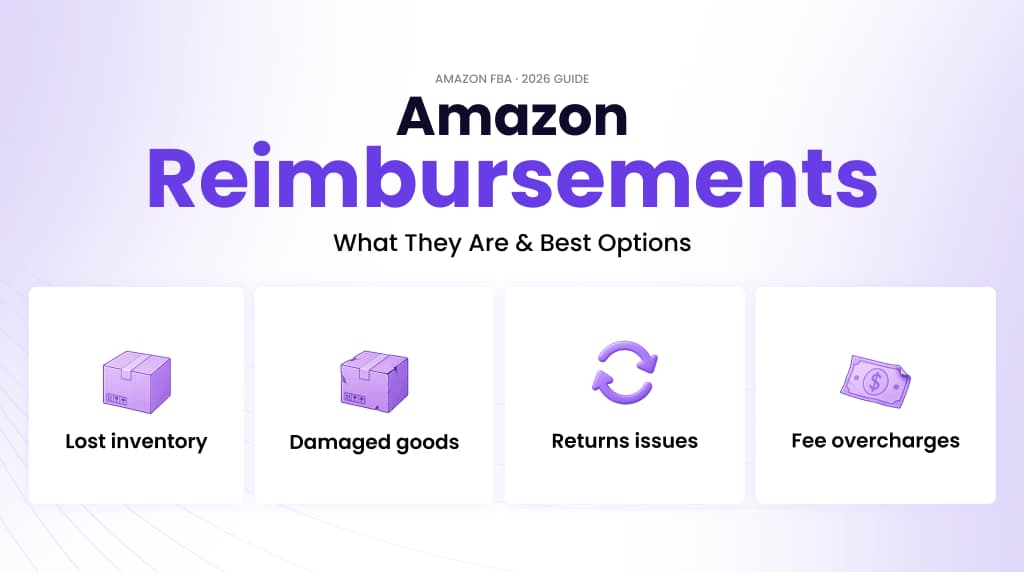
Most Amazon sellers are losing money every month and don’t know. Not from underperforming ads. Not from pricing mistakes. From operational errors within Amazon’s own fulfillment system.
Table of Contents
How to evaluate Amazon reimbursement services in 2026
Quick answer: A reimbursement provider should find eligible discrepancies, assemble defensible evidence, avoid duplicate or unsupported claims, track case outcomes, and explain fees and operational risk clearly.
Recovered cash matters, but aggressive filing is not automatically better. Brands need a controlled process that reconciles inventory, shipments, fees, returns, and prior cases. The provider should improve financial visibility without creating unnecessary account friction or hiding the root cause of recurring loss.
What operators should decide
- Confirm claim coverage: Document which discrepancy types, time windows, marketplaces, fulfillment paths, and fee categories the provider reviews.
- Inspect evidence controls: Ask how claims are validated, deduplicated, documented, and reconciled against prior reimbursements.
- Understand the fee model: Compare percentage fees, subscriptions, minimums, exclusions, and charges on credits Amazon reverses later.
- Fix recurring causes: Use the findings to improve inbound preparation, inventory records, carrier evidence, return controls, and financial reconciliation.
2026 decision table
| Signal | What it means | Operator action |
|---|---|---|
| Large recovery estimate | Potential cash exists but needs validation | Review method and evidence sample |
| Repeated claim type | An operating process may be failing | Correct the root cause |
| Opaque case status | Financial control is weak | Require a reconciled case ledger |
How to measure the work
Track eligible value reviewed, claims submitted, approvals, denials, reversals, time to recovery, fees, and net cash recovered. Separate one-time recovery from recurring leakage. A strong service creates both cash recovery and a clearer operating record for finance and supply chain teams.
Related Eva resources: Amazon FBA reimbursements, Amazon management, Eva playbooks.
Inventory gets lost in warehouses. Returns disappear between customers and fulfillment centers. Fees get calculated on the wrong product dimensions. Amazon owes you money for all of it, but they won’t come looking for you.
Amazon reimbursement services are third-party platforms or agencies that audit your FBA account, identify what Amazon owes you, and file claims on your behalf, typically in exchange for a percentage of what they recover.
This guide explains how they work, what you can claim, and how to decide whether to use a service or handle it yourself. By the end, you’ll have what you need to stop treating these losses as just “part of doing business on Amazon.”
Want a team to handle claims for you? This guide explains how to evaluate providers. If you are comparing Amazon reimbursement services, see Eva’s service page for what we audit, file, and follow up on, or book a call with our team.
What Are Amazon Reimbursements?
Amazon reimbursement services exist because Amazon’s fulfillment operation is enormous, and enormous operations make errors at scale.
When you enroll in FBA, Amazon takes physical custody of your inventory. Their FBA inventory reimbursement policy acknowledges that errors happen and states that sellers are entitled to compensation when they do. In practice, that compensation rarely arrives automatically. Amazon doesn’t audit your account on your behalf. They don’t flag discrepancies and send you a check. The responsibility for identifying and claiming what you’re owed falls entirely on you.
This is where the gap lives and where reimbursement services operate.
A good reimbursement service will:
- Audit your Seller Central account across months or years of transaction history
- Identify discrepancies where Amazon owes you compensation
- Prepare and submit claims with proper documentation through Amazon Seller Support
- Track open cases and follow up until fully resolved
- Report recovered amounts with full transparency on what was claimed and recouped
Reimbursement vs. Refund: What’s the difference?
A refund is money Amazon returns to a customer. A reimbursement is the money Amazon pays you, the seller, for errors in their fulfillment system. They affect different parts of your financials and require separate processes. Treating them interchangeably in your accounting distorts your true profitability picture.
What Can You Get Reimbursed For?
The categories are broader than most sellers realize. Industry estimates suggest the average FBA seller is owed between 1% and 3% of their annual revenue in unclaimed reimbursements. For a business doing $500,000 a year, that’s up to $15,000 sitting unclaimed in Amazon’s system.
Here’s what drives those numbers.
Lost Inventory
Units that go missing inside Amazon’s warehouse network are the most common reimbursement scenario. This includes inventory that never arrives at a fulfillment center after you ship it in, or units that disappear from inventory records without being sold, returned, or disposed of.
For high-volume sellers, even small per-shipment discrepancies compound quickly. What looks like two or three missing units across a dozen shipments often amounts to thousands in lost value over a quarter, and because there’s no alert, most sellers never notice.
Damaged Goods
Products damaged by Amazon during storage, handling, or fulfillment are reimbursable. If a unit is damaged in the warehouse and pulled from sale, you’re owed compensation. If a customer receives a damaged item, returns it, and the returned unit isn’t restockable due to warehouse handling, you may have a claim there, too.
Damaged-goods reimbursements are frequently underpaid because Amazon estimates your product’s value rather than paying based on actual cost. The shift to manufacturing cost-based reimbursements has made this even more pronounced for sellers who haven’t properly aligned their cost data.
Customer Return Issues
This is the most nuanced category, and the one most commonly mishandled. When a customer returns an item, Amazon is supposed to either restock it or reimburse you. The process breaks down when:
- A return is processed, but the item never arrives back at the fulfillment center
- A returned unit comes back unsellable, but Amazon still debits your account
- A refund is issued to the customer without the unit being returned or your account being compensated
At scale, return discrepancies are often a seller’s single-largest reimbursement opportunity and the hardest to catch manually without systematic cross-referencing.
Overcharged Fees
Amazon calculates FBA fees based on measured product dimensions and weight. An incorrect measurement, even by a centimeter, can push your product into a higher fee tier and inflate costs for every single fulfillment. Because fee errors apply retroactively to every past order in the affected window, a successful fee claim often recovers far more than sellers expect.
Other eligible fee-related claims:
- Storage fees charged on inventory that Amazon lost track of
- Incorrect removal order charges
- Commission errors on specific product categories
FBA vs. FBM Reimbursement Differences
FBA sellers have significantly more reimbursement exposure than FBM (Fulfilled by Merchant) sellers and significantly more opportunity. When Amazon handles your inventory, they’re responsible for it. FBA sellers can claim across the full spectrum: warehouse losses, inbound shipment discrepancies, customer returns, damaged goods, and fee errors.
FBM sellers are only eligible for platform-level mistakes (incorrect fee charges, order processing errors) because their inventory never enters Amazon’s fulfillment network. The trade-off for FBA is complexity. FBA accounts generate enormous volumes of transaction data, which is why thorough auditing requires either a significant time investment or a dedicated service.
How Amazon Reimbursement Services Work
The process follows a consistent pattern across providers, though the level of automation and human oversight varies significantly.
Step 1: Account Audit
After connecting to your Seller Central account, typically via read-only API access, the service audits your full transaction history. This means cross-referencing inventory records, order reports, returns data, and fee statements to surface discrepancies. Top services can audit multiple years of history, finding claims that have been accumulating unnoticed for months.
Step 2: Claim Identification and Preparation
Once discrepancies are identified, the service builds the claim submissions, gathers supporting documentation, and structures each case to meet Amazon’s requirements. This step determines whether a claim gets approved or denied. Poorly prepared submissions are rejected at a high rate.
Step 3: Claim Submission
Claims go to Amazon through Seller Central via the Inventory Defect and Reimbursement portal, Seller Support cases, or both, depending on claim type. Simpler claims resolve in days; complex ones can take several weeks.
Step 4: Tracking and Follow-Up
A good service monitors every open case until resolution, handles Amazon’s requests for additional documentation, and flags partial reimbursements for review. This is where most DIY efforts collapse: sellers submit and forget, and borderline approvals that need one more document quietly expire.
Manual vs. Automated Reimbursement
Not every seller needs to outsource this process. Here’s an honest comparison:
| Manual (DIY) | Reimbursement Service | |
| Cost | Free | 10–25% of the recovered amount |
| Time investment | High (several hours/week) | Low (near zero) |
| Accuracy | Depends on your expertise | High (specialized tools + experience) |
| Claim volume | Limited by your time | Scales with account size |
| Policy updates | Must track changes yourself | Provider handles automatically |
| Best for | Small accounts, tight margins | Growing or established FBA sellers |
Policy update: Amazon’s shift to manufacturing cost-based reimbursements has fundamentally changed how claims are valued. For a $50 product that costs $15 to manufacture, reimbursement is now based on the $15 cost—not the retail price. Most claim windows are limited to 60 days (down from 18 months), making consistent, ongoing auditing essential. Sellers who are not actively monitoring their accounts are systematically underrecovering on every issue.
Best Amazon Reimbursement Services
Before comparing providers, understand the category correctly. Reimbursement services are not interchangeable. They differ in what they audit, how they audit it, and whether recovery data connects to anything else useful in your business.
What to look for in any provider:
- Fee structure: Industry range is 10–25% of recovered amounts. Understand the rate before you see results.
- Access model: Read-only API access is safer than handing over full Seller Central credentials.
- Claim coverage: Some providers skip fee errors, vendor-side claims, or edge-case categories. Know the gaps.
- Human oversight: Fully automated tools miss nuanced claims that require interpretation.
- Follow-through: Does the service pursue denied claims and respond to Amazon’s documentation requests?
Eva (eva.guru)
Eva is built differently from standalone reimbursement tools, and that distinction matters operationally.
Most reimbursement services treat recovery as an isolated function: find the discrepancy, file the claim, collect the fee. Eva treats reimbursements as one layer of a connected system. Recovery data feeds directly into Eva’s profit analytics, inventory management, and advertising performance tracking. When Eva recovers $3,000 in reimbursements, that number immediately reflects in your true profitability view, not as a separate line item you reconcile manually later.
For operators making pricing, PPC, and restocking decisions based on margin data, that integration is the difference between accurate information and noise.
Key features:
- 98% accuracy benchmark on submitted claims
- AI audits account daily discrepancies caught in near real-time, not quarterly
- Audits up to 10 years of FBA transaction history
- Covers edge cases most tools miss: canceled shipment claims, misclassified storage fees, overpaid shipping, and replacement problems
- Full Vendor coverage, including vendor chargebacks, not just Seller accounts
- Real-time dashboard with case tracking by ASIN, date, and reason code
Pricing: 15% of recovered amounts standalone. Drops to 9% bundled with an Eva platform subscription, the lowest effective rate among major providers. Start a free 15-day trial.
GETIDA
GETIDA is one of the most established dedicated reimbursement services. Strong audit depth, AI-driven detection, and a solid track record, but operates as a standalone tool with no integration into broader account analytics. Pricing typically runs around 25% of recoveries.
Helium 10 – Refund Genie
Built into the Helium 10 suite, Refund Genie is semi-automated. It identifies eligible claims and walks you through filing, but doesn’t fully manage the process. Works well for users already in the Helium 10 ecosystem. Included with Helium 10 subscriptions.
Threecolts
Threecolts offers FBA reimbursement as part of a broader Amazon seller toolset. Covers standard claim types with solid reporting. A reasonable option for sellers who want reimbursement alongside other seller management features.
Are Amazon Reimbursement Services Worth It?
Let’s be direct: if you’re running an FBA business and not actively auditing reimbursements, you’re not just missing money, you’re operating on inaccurate data.
Here’s why that matters beyond the direct recovery amount.
Every unreimbursed inventory loss that goes unrecorded distorts your unit economics. Your cost of goods looks lower than it actually is. Your margin looks higher. Your PPC decisions, restocking calculations, and pricing strategy are all built on a number that’s wrong. Over time, these compounds scale into unprofitable decisions because the data told you something that wasn’t true.
Reimbursements aren’t a bonus. They’re a correction mechanism that keeps your financial picture accurate.
The case for using a service:
The average FBA seller is owed 1–3% of annual revenue in unclaimed reimbursements. On $500,000 in annual sales, that’s $5,000–$15,000 sitting in Amazon’s system. A service charging 15% of recovered amounts nets you $4,250–$12,750 you wouldn’t have otherwise recovered, plus it eliminates the 3–5 hours per week required to audit properly.
The case for doing it manually:
If you’re running a smaller account (under $50K/year in FBA revenue), have a simple catalog, and are already systematic about cross-referencing inventory reports, the math may favor handling it yourself.
The honest decision framework:
- Use a service if: you’re doing $50K+ in FBA revenue, lack time for consistent auditing, or want policy changes and claim windows managed automatically
- DIY if: you’re a smaller seller, have accounting systems tracking inventory discrepancies, or your margins are tight enough that service fees would eat the benefit
With shorter claim windows and stricter documentation requirements under cost-based reimbursement policies, errors in DIY filing are more expensive than they used to be. The calculation has shifted toward professional services for anyone doing meaningful volume.
Conclusion
Every FBA seller has reimbursements they haven’t claimed. The question is how long you’re willing to leave that money with Amazon.
Inventory errors, return discrepancies, and fee miscalculations are structural features of running at FBA’s scale; they’re not going away. What separates profitable operators from sellers who quietly absorb these losses is whether they’ve built a system to capture them.
If you’re not actively auditing your reimbursements, you’re not just accepting losses; you’re accepting inaccurate financials and making decisions based on them.
Eva’s reimbursement recovery goes beyond claim filing. It connects recovery data to the analytics and inventory tools you use to run your business, so every recovered dollar shows up where it actually matters.
Frequently Asked Questions
An Amazon reimbursement is a payment Amazon makes to an FBA seller to compensate for errors within their fulfillment system, such as lost inventory, damaged goods, customer returns not properly processed, or overcharged fees. It is not the same as a customer refund, which is money returned to the buyer.
File a claim through Amazon Seller Central via the Inventory Defect and Reimbursement portal or through Seller Support. Identify the discrepancy, gather supporting documentation (shipment records, order reports, manufacturing cost data), and submit. Amazon reviews and issues a reimbursement if approved. Most claim types must now be filed within 60 days of the issue.
Simple, well-documented claims can be resolved in a few days. Complex cases, particularly disputed fee errors or return discrepancies, may take several weeks and require follow-up responses to Amazon’s documentation requests.
No. A refund is money Amazon returns to a customer. A reimbursement is money Amazon pays to you for fulfillment errors on their end. They are separate processes that affect different parts of your financials. Treating them interchangeably leads to inaccurate profitability data.
For most FBA sellers doing meaningful volume, yes. The average seller is owed 1–3% of annual revenue in unclaimed reimbursements, typically far more than the service fee. Beyond direct recovery, proper auditing ensures your unit economics are accurate and your business decisions are grounded in real numbers.