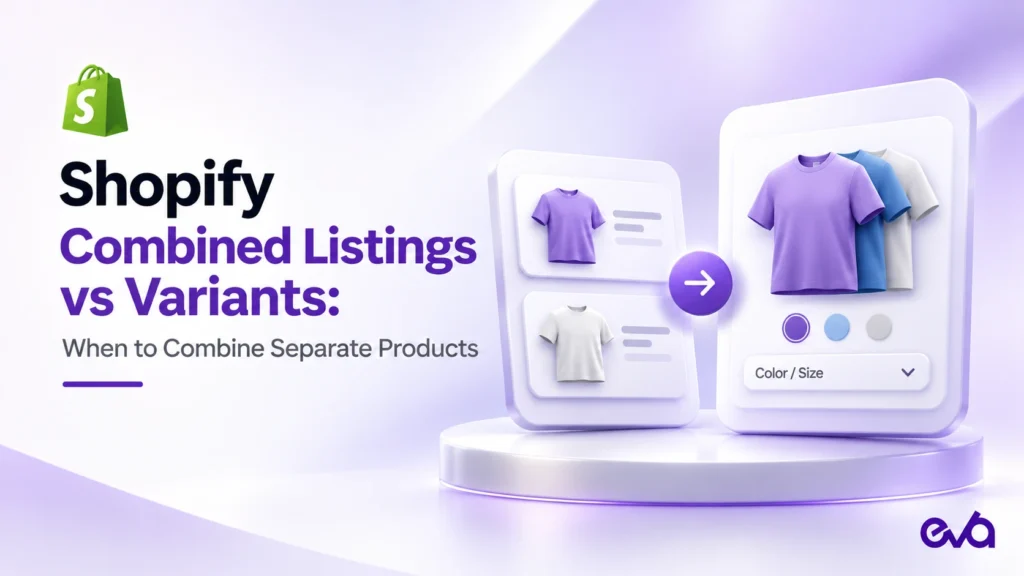
Shopify Combined Listings connects separate products under a shared parent so shoppers can explore choices together. Use ordinary variants when the choices belong to one product and share its core story. Consider combined listings when each choice needs its own product presentation, yet customers should still move between those choices easily. Start with the catalog decision, then confirm plan eligibility, theme support, and operational fit before changing a live store.
A color selector looks simple to a shopper. Behind it, a merchant must decide whether navy and cream are two variants of one shirt or two products with separate photography, descriptions, and merchandising responsibilities. That decision affects the work required to maintain the catalog long after the first product page launches.
This guide focuses on that specific decision. It offers a practical way to compare the structures, prepare one product family, and test the buying journey. The examples and checklists are editorial recommendations, not claims that a particular structure will increase conversion or organic traffic.
Table of Contents
- Shopify Combined Listings vs variants: the practical difference
- Choose a structure using one real product family
- Confirm eligibility and prepare the catalog
- Build a small pilot before a catalog rollout
- Check the complete storefront journey
- Measure the family and maintain it over time
- Common questions about Shopify Combined Listings
- Make the catalog decision part of your Shopify growth plan
Shopify Combined Listings vs variants: the practical difference
In Shopify, a variant represents a combination of options within a product. A medium navy shirt is one example. Shopify explains this structure in its official variants documentation. A merchant can use that model when sizes and colors are choices within the same product presentation.
With a combined listing, the starting point is separate child products. A parent brings their choices into a connected storefront experience. Shopify’s developer overview explains that child products retain their own images and URL handles. The parent has no inventory of its own; purchases and order lines relate to the children. That distinction matters when planning reporting and fulfillment checks.
| Question | Ordinary variants may fit | Consider combined listings |
|---|---|---|
| How different is the product story? | One core description answers the buying questions. | Each choice warrants a distinct product presentation. |
| How does the team merchandise the choices? | The family is normally planned as one product. | Individual choices need separate editorial attention. |
| What problem needs solving? | Customers need a clear selector within one product. | Customers need to navigate between related standalone products. |
| What should justify the extra work? | Keep the simpler structure when it meets requirements. | Document a concrete need before adding another relationship to maintain. |
Do not choose the more elaborate structure because a competitor uses it. Ask what customer question the change resolves and what internal task becomes easier. If nobody can name either benefit, improve the existing product page first. Cleaner option labels and more useful photography may solve the immediate problem without restructuring the catalog.
Choose a structure using one real product family
Keep variants when the differences are straightforward
Imagine a hypothetical brand selling a cotton tee in several sizes and two colors. The fit, fabric, care instructions, and use case are the same. The customer needs to choose the right size and see the right color. A normal product with variants is a reasonable starting point for that brief.
Write down any missing information before proposing a migration. Perhaps the cream fabric needs a close-up image, or the size guide is difficult to find. Those are content and presentation requirements. They do not automatically establish a need for separate products. Keep the distinction clear during planning so the team does not mistake a theme problem for a catalog problem.
Consider separate children when the presentation deserves separation
Now imagine a hypothetical footwear brand whose color editions each have a substantial image set, a distinct editorial story, and different campaign plans. The team already manages those editions as separate products, but shoppers have trouble finding the other colors. A combined listing is worth evaluating because it connects products the business has a reason to keep distinct.
The deciding question is whether that separation remains useful after the launch campaign ends. A temporary promotion rarely justifies permanent complexity on its own. Ask the merchandising owner to explain how the family will be maintained through replenishment, seasonal changes, and discontinued colors. If the answer depends on one employee remembering a manual workaround, resolve that weakness before rollout.
Leave unrelated products outside the family
A jacket and a matching bag may belong together in a campaign, but they answer different purchase questions. Treat complementary shopping as a separate merchandising brief. A shared collection or another appropriate recommendation approach may be more understandable than presenting unrelated products as choices within one family.
For the broader decisions about discovery, assortment, and presentation, use Eva’s Shopify merchandising strategy guide. Keep this implementation focused on the relationship between closely related products so its requirements remain testable.
Confirm eligibility and prepare the catalog
Shopify’s Combined Listings Help Center page lists Plus and enterprise commerce plan eligibility, the Online Store channel, and a compatible theme as requirements. It also documents important restrictions, including bundles, subscriptions, and possible product-page app incompatibilities. Verify those conditions in the current documentation before planning a rollout.
Use a short requirements sheet with four owners: merchandising, storefront development, operations, and measurement. Each person should approve the part they maintain. This prevents a clean-looking preview from being treated as proof that the full customer journey works.
- Merchandising: define the family and the shopper-facing option labels.
- Storefront: verify the theme and the apps used on the product page.
- Operations: identify the actual sellable items and their expected stock behavior.
- Measurement: document how product identifiers will be interpreted in reports.
Create a catalog worksheet before touching the app. For each proposed child, record its existing product address, business owner, sellable variants, images, current availability, and intended family label. Add a column explaining why that child should remain a separate product. A blank answer is a useful signal to revisit the structure.
Use a consistent naming convention across the worksheet and customer experience. If one team calls a color “stone” and another calls it “light beige,” agree on the customer-facing term and document any internal mapping. A migration is a poor time to introduce several naming changes without an owner who can reconcile them.
Check the completeness of each child’s content. A polished parent presentation should not conceal a child with missing dimensions, ambiguous imagery, or outdated care instructions. Customers can arrive at different points in a shopping journey, so each relevant destination should answer the essential purchase questions.
Build a small pilot before a catalog rollout
1. Capture the starting state
Choose one representative family with manageable complexity. Save the current product details and storefront screenshots, and note the exact items involved. Record the date and the person responsible. Include the product-page apps and theme version in the record so a later problem can be investigated against a known starting point.
Keep the pilot separate from unrelated redesign work. If photography, pricing, navigation, and catalog structure all change together, the team will struggle to identify the source of any failure. Limit the first exercise to the smallest set of changes needed to test the relationship and the purchase journey.
2. Map the parent and child options
Write a plain-language map before configuration: the parent-level choice might be color, while each child contains its size choices. Check the map for ambiguous labels and impossible combinations. The point is to make the expected experience easy to describe to someone who has never opened the app.
Shopify’s Help Center instructs merchants to create the listing in the Combined Listings app, add existing products, define a unique option and its values, and save. New combined listings start as drafts. Follow the live instructions for the exact interface rather than treating an old screenshot or this article as a permanent specification.
3. Preview against written expectations
Before review, write several expected outcomes. For example: selecting the navy edition should show the intended navy imagery, the chosen size should remain understandable, and the cart should identify the item the shopper meant to buy. These statements give reviewers a common standard instead of a vague request to “check the page.”
Include a reviewer who did not configure the family. Give that person a shopping task, such as finding an available medium cream shirt from a mobile landing page. Watch where they hesitate. Confusion about whether a selector changes color, product, or size is useful feedback even when every button technically works.
Check the complete storefront journey
A successful preview is one piece of evidence. Build a repeatable acceptance checklist that covers the customer journey, operational handoff, and content consistency. Use your normal development and order-testing process, with the appropriate safeguards for your store.
| Area | What to verify | Evidence to keep |
|---|---|---|
| Selection | Each option leads to the expected choice and communicates availability. | Mobile and desktop recordings of representative paths. |
| Content | Images, description, price, and size information match the selected item. | Reviewed screenshots and a signed checklist. |
| Cart | The selected item and quantity match the shopper’s intention. | A documented test cart and item identifiers. |
| Operations | The order can be interpreted correctly by the fulfillment team. | An approved test-order review. |
| Discovery | Search and collection journeys lead to useful, available choices. | Recorded entry paths and expected destinations. |
Test unavailable and changing choices
Do not review only the best-stocked child. Include a sold-out size, an unavailable color if present, and a choice with fewer images. Ask whether customers understand what is unavailable and whether another choice is a reasonable next step. The goal is clarity, rather than encouraging customers to add an item that does not meet their needs.
Also check the handoff between selectors. If someone chooses a size and then another color, confirm the resulting selection is understandable. Document the expected behavior before deciding whether the observed result is acceptable. A technically valid fallback can still surprise a customer who thinks the previous size is preserved.
Review apps, mobile use, and accessibility
Check the product-page features your business actually relies on: review widgets, size assistance, delivery messages, personalization, or other relevant components. Compatibility should be demonstrated in your own implementation. A feature working on an ordinary product page does not establish that it behaves correctly in this pilot.
On mobile, verify that option labels remain readable, controls can be operated without accidental taps, and the selected state is clear. Include keyboard navigation and meaningful labels in the storefront review. If a color is communicated only through a tiny swatch, ask how a shopper can identify it without relying on color perception alone.
Review URLs without promising an SEO gain
Record the addresses used before and after configuration, then inspect the actual rendered pages with your SEO owner. Check internal links and the destination reached by existing campaigns. Do not delete or redirect a useful product address simply to make the family look neater in a spreadsheet.
Separate product pages are not an automatic ranking advantage. A page should have a clear purpose and useful content for the visitor who lands there. Ask which destination should answer each product-specific question, and assess the implementation before making claims about indexing or organic performance.
Measure the family and maintain it over time
Define success before the pilot goes live. Start with operational questions: can customers select the intended item, do orders contain the expected items, and can the team maintain the family without confusion? Those checks are more actionable in the first review than a broad promise of higher sales.
For commercial measurement, compare a completed baseline period with a completed post-launch period. Keep promotions, traffic sources, stock availability, and other material changes in the notes. A difference between periods is a signal to investigate; it does not establish that the listing structure caused the difference.
Shopify’s developer overview explains that sales are associated with children rather than the parent. Build a documented mapping from the family to its sellable child items before evaluating results. Otherwise, a report centered on a parent identifier may be interpreted as poor demand when the underlying reporting structure is the issue.
For the wider measurement context, read Eva’s Shopify marketing attribution guide. Keep traffic attribution separate from the catalog question: where the visitor came from and whether the product family is easy to shop are related business questions, but they require different evidence.
Give maintenance an owner
Assign responsibility for adding a color, retiring an edition, changing imagery, and checking the family after a theme or app update. A short runbook should say who makes the change, what must be reviewed, and where the evidence is stored. The family should remain manageable when the original implementation team is unavailable.
Schedule the next review around a meaningful event, such as a replenishment cycle or planned assortment change. Check whether labels still make sense, whether discontinued choices confuse customers, and whether the family continues to meet its original purpose. Keep the structure only while the benefit justifies its maintenance cost.
Common questions about Shopify Combined Listings
Who can use Shopify Combined Listings?
Shopify lists Plus and enterprise commerce plans, the Online Store channel, and a compatible theme as requirements for its official Combined Listings app. Confirm the current requirements in the linked Shopify Help Center before planning an implementation. This guide covers the official app rather than third-party tools with similar names.
Does the parent listing hold inventory?
No. Shopify explains that the parent has no inventory of its own. The child products represent the sellable choices, so map those items before checking stock, test orders, or sales reports.
Should every color become a separate product?
No. Decide based on the content and merchandising requirements of the family. If the differences can be explained clearly within one product, ordinary variants may remain the more practical choice. Separate children deserve a business reason beyond a desire to use a new feature.
Can combined listings replace a bundle strategy?
They solve a different catalog problem: helping shoppers move between related product choices. Shopify documents restrictions involving bundles. If the business goal is to sell several items together, prepare a separate brief and evaluate the appropriate approach rather than assuming this structure covers it.
Will the change improve conversion or SEO?
There is no automatic outcome. Form a specific hypothesis, test the journey, and review completed-period results with the relevant context. Better product organization can be a worthwhile objective even before a reliable performance effect can be measured.
What is the safest first step?
Map one family and write down the reason for keeping its choices separate. Confirm eligibility and compatibility, then prepare a pilot with a clear acceptance checklist. That process turns a broad catalog idea into a change the team can review and maintain.
Source review: November 3, 2026. Platform requirements can change; the linked Shopify documentation is the reference for current eligibility and behavior.
Make the catalog decision part of your Shopify growth plan
If your team is evaluating product structure alongside merchandising and growth priorities, explore Eva’s Shopify management services and discuss how this decision fits your store’s next growth plan.