Table of Contents
- Quick answer
- What is Shopify customer segmentation?
- Write the audience definition before opening the editor
- How to create a customer segment in Shopify
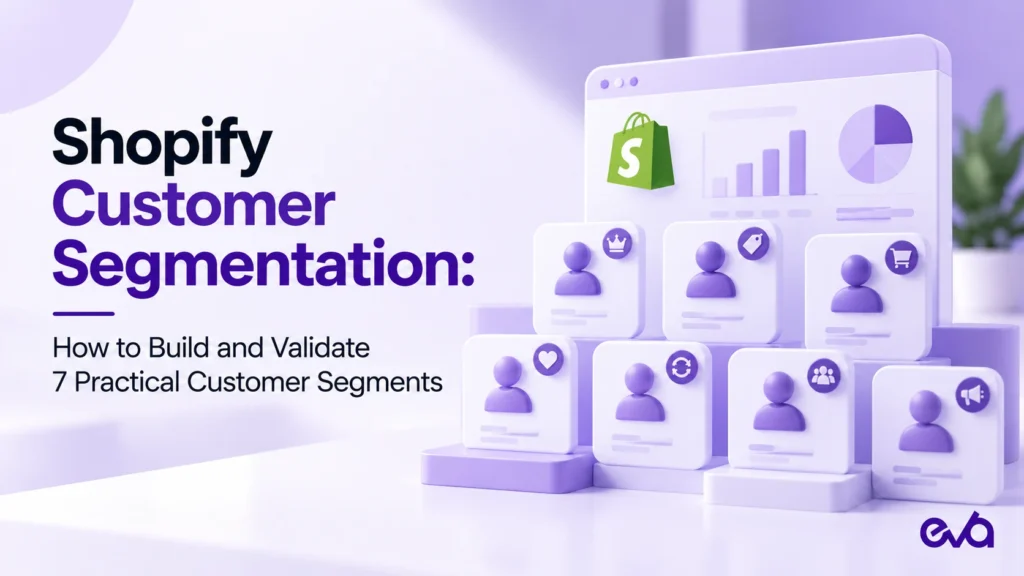
- Seven practical Shopify customer segments to build and validate
- ShopifyQL examples you can validate in your store
- Validate the segment before using it
- Keep segmentation separate from automation
- Maintain a segment register your team can understand
- Frequently asked questions
- Make your customer data useful in day-to-day Shopify decisions
Quick answer
Shopify customer segmentation groups customers by shared rules so your team can define a relevant audience before choosing a message, offer, or service action. Start with one business question, build the matching criteria, and inspect actual customer records before using the segment. Seven useful starting points are first-time buyers, repeat buyers, high-spend customers, inactive buyers, purchasers of a specific product, customers in a serviceable region, and customers subscribed to a particular marketing channel.
The hard part is rarely naming an audience. It is making sure that “loyal,” “inactive,” or “eligible” means the same thing to the person building the segment and the person using it. A large audience with an unclear definition can create irrelevant messages, excessive discounts, and confusing reporting. A smaller, well-validated audience gives a team a clearer decision.
This guide focuses on building and checking customer segments inside Shopify. It does not assume that every segment needs a campaign or a discount. The examples are starting hypotheses, with illustrative thresholds that should be adjusted to your product, purchase cycle, and operating constraints.
What is Shopify customer segmentation?
A customer segment is a saved audience defined by conditions. Shopify updates membership as customer data meets or stops meeting those conditions. A customer can belong to multiple segments. Shopify explains this behavior in its customer segment management documentation.
A tag is an attribute that can help describe a customer; a segment expresses the rules for including that customer in a group. Your team might maintain a tag for a particular service preference and combine it with purchase behavior. Avoid treating a manually applied label as proof that someone still qualifies for an offer months later.
Segmentation defines who qualifies. Personalization determines what experience that person receives. Keep those decisions connected, but document them separately. For a broader framework for changing customer experiences, see Eva’s ecommerce personalization guide.
Write the audience definition before opening the editor
Complete this sentence first: “We need to identify customers who meet these conditions because the team must make this decision.” If the proposed decision is unclear, adding more filters will not solve it. A first purchase might justify product education, while a regional group might support an event invitation. Those audiences need different eligibility rules and different success checks.
Record the population, inclusion rule, exclusions, intended use, owner, and review date. Also record what the segment cannot tell you. Historical spend does not establish profit. An older purchase does not establish dissatisfaction. A shipping address does not necessarily describe a person’s current location. These distinctions prevent an operational label from becoming an unsupported customer judgment.
Choose one owner who can explain the definition without referring to a campaign name. “Customers with exactly one qualifying order” is easier to maintain than “November audience three.” Keep campaign labels in the campaign system and give the underlying audience a name that remains understandable after the campaign ends.
How to create a customer segment in Shopify
In Shopify admin, open Customers and then Segments. Create a segment using an available template, an existing segment, or the query editor. Follow Shopify’s current segment creation instructions if your interface differs. Preview the matching customers, review the definition, and save with a descriptive name.
The examples below pair practical filter logic with a set of ShopifyQL WHERE-clause examples. Validate each example in your own store before using the audience. Use the editor’s suggested filters and Shopify’s filter reference to confirm supported operators and values. Product selection, date handling, and available customer data need particular attention.
Start with the simplest condition and inspect the result before combining conditions. Add one restriction at a time so you can explain why the audience changes. If a new rule removes most customers, investigate the underlying data instead of immediately deleting the rule to recover audience size.
Seven practical Shopify customer segments to build and validate
1. First-time buyers who need product education
Business question: Which customers have made one purchase and may benefit from help using what they bought? Begin with an order-count condition representing exactly one order. If the action depends on a recent purchase, add an appropriate date condition and confirm how that condition behaves in the store.
Validation: Review several included customers and several customers just outside the definition. Check that a customer with two qualifying orders is excluded. Inspect imported records and unusual order histories rather than assuming every recorded order represents the same customer experience. Do not define the audience only from the date a customer profile was created.
Appropriate action: Offer relevant setup information or product-care guidance where the communication is permitted. Avoid automatically issuing a second-order discount. Before adding an incentive, determine whether the customer needs education, delivery support, or a reason to purchase another product. Keep service communications and promotional eligibility distinct.
2. Repeat buyers who qualify for a different experience
Business question: Who has purchased more than once and should no longer receive a first-purchase introduction? Start with an order-count threshold above one. If the use case requires recent activity, add a separate recency condition rather than describing every historical repeat buyer as currently active.
Validation: Compare included customers with actual purchase histories. Check whether several orders reflect recurring demand, a short burst during one promotion, or an operational exception. The same order count can represent very different relationships. Document which interpretation matters to this audience.
Appropriate action: Test a more relevant product introduction, recognition message, or support experience. Repeat purchasing alone does not establish eligibility for unrestricted benefits. If a benefit has inventory, margin, or service limits, those constraints belong in the decision process before activation.
3. High-spend customers for a defined service or benefit
Business question: Which customers meet the store’s spending threshold for a particular experience? For example, a hypothetical store could review customers above 500 in its store currency. This is an illustrative threshold, not a recommended universal definition of a valuable customer.
Validation: Confirm the meaning of the spending field and inspect a few records near the cutoff. Check currency assumptions and relevant refund history. Do not label the group “most profitable” unless a separate, reliable margin calculation supports that statement. Revenue-based segmentation is not a substitute for contribution analysis.
Appropriate action: Consider early access to a suitable product, a service review, or a carefully bounded benefit. A high-spend customer might still have a poor service experience or prefer fewer messages. Record the purpose of the segment so the audience does not become a default destination for every promotion.
4. Previous buyers who have not ordered within a chosen window
Business question: Which previous buyers have passed a reasonable interval since their last purchase? An illustrative starting window is 90 days. Use a last-order condition and ensure the audience consists of previous buyers rather than every customer profile with missing order information.
Validation: Check the boundary dates using the store’s settings and verify customer records near the cutoff. Compare the interval with the actual buying cycle. Ninety days might be late for a frequently replenished consumable and entirely normal for a durable product. Name the audience after the observed behavior rather than declaring these customers “lost.”
Appropriate action: Review whether a replenishment reminder, product update, or feedback request fits. Exclude customers from a proposed promotion when known service issues or another relevant restriction make the message inappropriate. A customer’s absence from recent orders is a signal to investigate, not proof of the reason they stopped buying.
5. Customers who bought a specific product
Business question: Who purchased the product associated with a particular educational message or complementary item? Use the product-purchase condition available in the editor and select the intended product carefully. If the business question depends on timing or another condition, document that requirement explicitly.
Validation: Check the selected product against actual customer orders, including relevant variants, bundles, and catalog changes. A product name that looks correct is not enough if a migration or duplicate listing changed the underlying records. Confirm whether historical orders provide the information needed for the use case.
Appropriate action: Provide product-specific instructions or introduce a compatible item with a clear explanation of fit. Avoid treating a purchase as evidence of a sensitive personal characteristic. When a proposed recommendation depends on an assumption the customer never supplied, choose a more neutral audience definition.
6. Customers in a region your operation can serve
Business question: Which customers match the geographic criteria for a relevant event, delivery proposition, or regional message? Choose the supported country, region, or location filter that fits the question. Define the desired geography before building the filter so a city name does not accidentally stand in for a larger delivery area.
Validation: Inspect sample records and confirm which location information the rule uses. Review ambiguous addresses, incomplete data, and customers who may have moved. If a delivery promise depends on a current destination, verify eligibility at the appropriate transaction stage rather than relying entirely on a historical segment.
Appropriate action: Use the group for a relevant local communication after confirming capacity and channel permission. The audience definition should never create a shipping guarantee the operation cannot meet. Record who owns the geographic rule when service coverage changes.
7. Customers subscribed to the intended marketing channel
Business question: Which customers have the subscription status required for the proposed marketing channel? Build a channel-specific audience using the appropriate subscription condition. Do not interpret the presence of an email address or phone number as permission to send every kind of marketing message.
Validation: Review sample records, including customers who recently changed preferences. Confirm that the sending system applies its own eligibility and suppression checks. Email and SMS audiences should be evaluated separately; a customer’s status in one channel does not establish the status in another.
Appropriate action: Combine permission with a relevant behavioral audience when needed. “Subscribed customers who purchased product A” answers a clearer activation question than a list of everyone who purchased product A. Keep the behavior definition available separately so reporting is not confused with the number of contactable customers.
ShopifyQL examples you can validate in your store
These snippets belong in the segment editor’s WHERE clause, not in a storefront theme or a general SQL database. Keep the editor’s existing query structure. The syntax follows the official Shopify filter reference linked above and was checked on October 27, 2026. The examples have not been executed against your store’s customer data.
Adjust thresholds to your business. A valid query does not prove that the audience is right for a campaign. Preview matching records and confirm channel eligibility separately.
One-order buyers
number_of_orders = 1Check a customer with one order and another with two. Add recency only when the action requires a recent purchase.
Repeat buyers
number_of_orders > 1This measures recorded purchase frequency, not loyalty or profit. Inspect unusual order histories before assigning a benefit.
A hypothetical high-spend threshold
amount_spent >= 500Use the store currency without a currency symbol. The 500 threshold is illustrative; do not equate spending with contribution margin.
Previous buyers whose last order was more than 90 days ago
number_of_orders > 0 AND last_order_date < -90dThe strict less-than comparison excludes the boundary date. Check date behavior in the store time zone and choose a window that fits the purchase cycle.
Purchasers of a selected product
products_purchased MATCHES (id = 1234567890)The numeric ID is a placeholder. Select the actual product in Shopify’s editor; do not paste the placeholder as your final audience definition.
Customers with a United States address
customer_countries CONTAINS 'US'Address-based membership does not establish a current delivery destination. Confirm shipping eligibility separately.
Email subscribers who bought more than once
email_subscription_status = 'SUBSCRIBED' AND number_of_orders > 1This combines a behavioral group with email subscription status. It does not establish SMS permission or override the sending system’s suppression rules.
A small validation worksheet
- Clearly included record: confirm the rule matches the intended behavior.
- Clearly excluded record: confirm it stays outside the audience.
- Boundary record: inspect the cutoff value or date.
- Overlapping record: check other active audiences before activation.
- Unexpected record: identify the data or definition issue before saving a production audience.
Validate the segment before using it
Use a small review sheet with five columns: expected customer, expected inclusion, actual inclusion, reason, and correction. Include clear positive cases, clear negative cases, and boundary cases. For a spending rule, test someone below, at, and above the threshold. For a date rule, inspect records around the cutoff. This reveals definition problems that an audience total can hide.
Shopify excludes test and deleted orders from segmentation calculations. Keep that in mind when explaining unexpected membership, and use eligible real records for a read-only review. Never create unnecessary real orders just to inflate or manipulate an audience check.
Review overlap as a separate question. A repeat buyer can also be a high-spend buyer, a product purchaser, and a subscriber. If several campaigns use those segments, the sending or orchestration process needs a priority rule. Adding segment counts together will not produce a unique customer total.
Also inspect empty results. A zero-sized segment can reflect a legitimate business condition, an unsupported assumption about the data, or an overly restrictive combination. Remove conditions one at a time in a working copy, observe the change, and preserve the approved segment until the cause is understood.
Keep segmentation separate from automation
A saved audience does not by itself define a complete workflow. The team still needs an activation trigger, destination, owner, frequency, exclusions, and failure handling. Do not assume that membership automatically starts a particular message or updates another system. Confirm the behavior of the actual tool used for that action.
When an automation is justified, use the segment definition as an input to a documented operating rule. Eva’s Shopify Flow guide covers workflow design and validation. Keep this segmentation library focused on audience definitions so a workflow change does not silently rewrite what a customer group means.
Maintain a segment register your team can understand
For every approved segment, record its name, business question, plain-language logic, exclusions, intended channel, owner, and last review date. Add a short note on the expected audience size, but treat that as context rather than a fixed target. A changing count can be healthy if the underlying customer behavior changed.
Review segments when the catalog, purchase cycle, consent handling, data import process, or operating model changes. Before editing a heavily used segment, identify downstream uses and preserve the previous definition in your working records. A small filter edit can change who receives a message even when the campaign itself remains untouched.
Judge the first implementation by whether the audience is understandable, accurate, and usable. Later, evaluate the specific action with an appropriate comparison. An increase in revenue from a segment does not alone prove that a campaign caused it; audience composition and purchasing activity may also have changed.
Frequently asked questions
Should a store build all seven segments immediately?
No. Start with the audience tied to a current, concrete decision. Validate it, use it responsibly, and document what the team learned. A library of unused segments adds maintenance work without improving customer decisions.
Can customers belong to more than one Shopify segment?
Yes. Membership can overlap. Define campaign priorities and suppression rules in the activation process instead of assuming the saved audiences are mutually exclusive.
Does a high-spend segment identify the most profitable customers?
No. A spending condition measures the selected spending attribute. Profitability requires additional cost and margin evidence. Use a name that matches what the rule actually measures.
What is the most useful first check?
Inspect individual customer records against a written inclusion rule. If the team cannot explain why a specific customer belongs, the audience is not ready for activation.
Make your customer data useful in day-to-day Shopify decisions
Useful Shopify customer segmentation starts with a clear question and ends with a verified audience, an accountable owner, and a relevant action. If your team needs help connecting customer definitions with store operations and growth priorities, explore Eva’s Shopify management services and discuss the right scope for your store.