Table of Contents
- What Shopify SEO should accomplish
- 1. Build a search-friendly Shopify architecture
- 2. Give collections a real SEO role
- 3. Optimize product pages for decisions
- 4. Control indexation and canonical signals
- 5. Make Shopify content support commercial pages
- 6. Improve speed without weakening the experience
- 7. Connect Shopify SEO to conversion and lifecycle
- Shopify SEO audit checklist
- Final takeaway
- Official Shopify reference
What Shopify SEO should accomplish
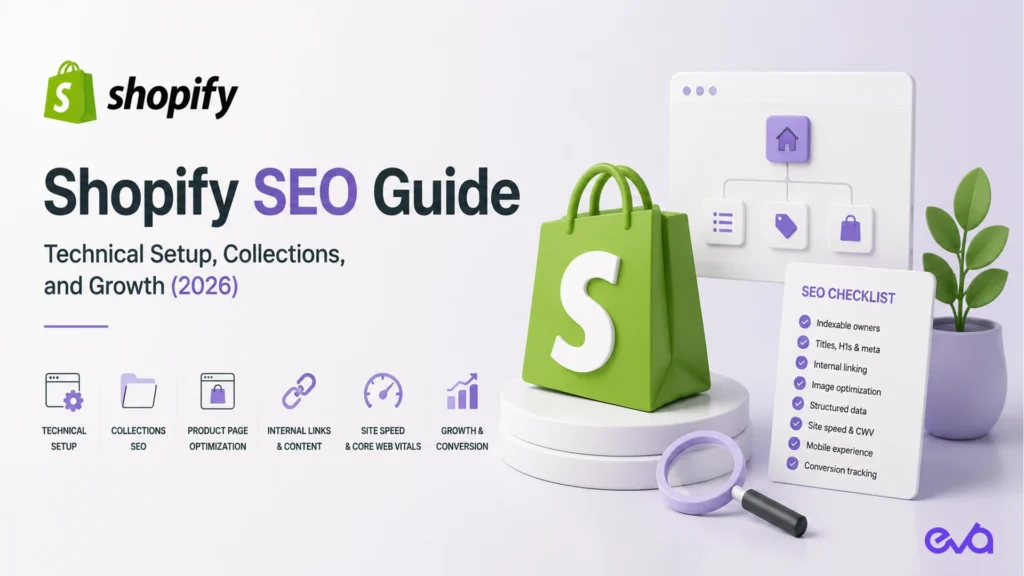
Shopify SEO is not a single keyword field or an app installation. It is the system that helps search engines discover the right products and collections, understand the store, and send qualified shoppers to pages that can convert. A strong Shopify program connects technical accessibility, search intent, merchandising, content, internal links, performance, and measurement.
The objective is not to rank every URL. It is to give each important intent one clear owner, keep that owner indexable and useful, and remove friction between discovery and purchase.
1. Build a search-friendly Shopify architecture
Start with a simple hierarchy: the homepage explains the brand, collections own category intent, product pages own product intent, and guides answer informational questions. Avoid creating a new collection for every keyword variation. When multiple pages answer the same query, choose one owner and link supporting content to it.
- Use descriptive collection and product names that match shopper language.
- Keep important pages reachable from navigation, collections, or contextual links.
- Use breadcrumbs and related-product links to reinforce relationships.
- Retire thin, duplicate, or obsolete pages deliberately instead of leaving an unmanaged archive.
2. Give collections a real SEO role
Collection pages often deserve more authority than a filter or a product grid. Add a short, useful introduction that explains what belongs in the collection, how shoppers should choose, and which constraints matter. Keep the primary text visible and readable; do not add a block of keywords that makes the page harder to shop.
Use collection titles, H1s, descriptions, and internal links consistently. If a collection has no unique assortment or customer intent, it may not deserve to be indexed as a separate landing page.
3. Optimize product pages for decisions
A product page should answer the questions that stop a shopper from buying: what the product is, who it is for, what is included, how it is used, how it fits, when it ships, and what happens if it is returned. Search relevance follows from clarity, not from repeating the same phrase in every field.
- Write a precise title and first paragraph.
- Use descriptive image filenames and meaningful alt text where it helps understand the image.
- Keep variants, availability, pricing, and structured data consistent.
- Link to care, comparison, sizing, ingredient, or use-case guides when they reduce uncertainty.
- Preserve customer-facing proof only when it is real, current, and permitted to be published.
4. Control indexation and canonical signals
Shopify creates useful system URLs for shopping, but not every parameter, tag, filter, or duplicate path should compete in search. Review canonical tags, robots directives, sitemap entries, redirects, and internal links after theme or app changes. Never block a page simply because it is not currently ranking; first decide whether it is a valid owner, a supporting page, or an obsolete URL.
When a product is discontinued, select the replacement based on intent and customer usefulness. Redirect only to a genuinely related destination. A blanket redirect to the homepage can erase relevance and confuse both shoppers and search engines.
5. Make Shopify content support commercial pages
Blog posts should strengthen collections and products, not form a disconnected publishing stream. Give each guide one primary question, one internal-link destination, and a next action. Link from mature pages to newer owners when the relationship is real, and update old links after a URL changes.
| Intent | Best owner | Useful support |
|---|---|---|
| Category discovery | Collection page | Buying guide, comparison, or category FAQ |
| Product evaluation | Product page | Use-case, sizing, ingredients, or care guide |
| Problem research | Educational article | Relevant collection and product links |
| Brand or service decision | Commercial landing page | Proof, process, and qualified conversion path |
6. Improve speed without weakening the experience
Measure real templates before changing them. Large hero images, unneeded app scripts, duplicate tracking, font loading, and below-the-fold media can increase the cost of every visit. Compress and size images, lazy-load content that is not immediately visible, remove unused app code, and test mobile interactions after each change.
Do not report a server response time as a Core Web Vital. Use field data and the actual user experience to prioritize work, and protect checkout, search, filters, forms, and consent behavior during performance changes.
7. Connect Shopify SEO to conversion and lifecycle
Organic sessions are only a leading indicator. Track landing page, engaged session, product view, add to cart, checkout, purchase, refund, and repeat behavior with consistent definitions. Compare pages by contribution and customer quality, not clicks alone. A page that attracts fewer but better-qualified shoppers can be more valuable than a high-volume informational page.
Shopify supports multiple sales channels, but each channel can have its own product availability, pricing, currency, and measurement behavior. Document those differences before adding a new channel, and keep the primary store’s SEO owner clear.
Shopify SEO audit checklist
- Confirm one indexable owner for every commercial query.
- Check titles, H1s, descriptions, canonicals, robots, and sitemap inclusion.
- Review collection and product internal links.
- Check image dimensions, alt text, lazy loading, and layout stability.
- Validate Product, Breadcrumb, Organization, and Article structured data.
- Test search, filters, cart, checkout, forms, and analytics events on mobile.
- Compare organic landing pages with conversion and contribution data.
Final takeaway
The strongest Shopify SEO programs make the store easier to understand and easier to operate. Give every intent a clear owner, keep the technical signals consistent, connect useful content to commercial pages, and measure the customer and margin outcome after the click.
Official Shopify reference
Review Shopify’s current sales channel documentation and live store settings before changing channel availability, product markets, or checkout behavior.
Related Eva resource: For hands-on support, explore Eva’s Shopify agency.