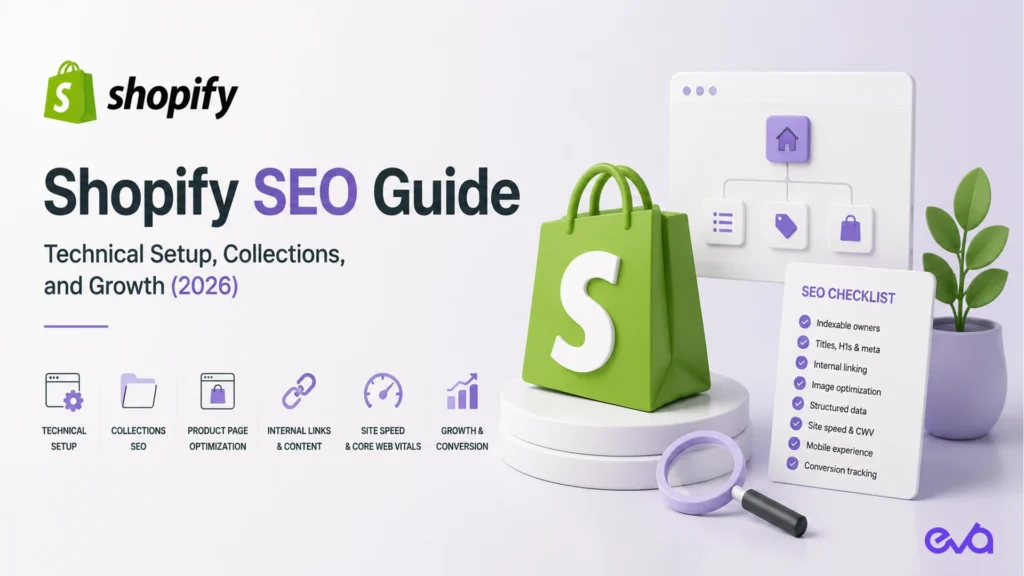
SHOPIFY SEO AND AI SEARCH
Quick answer
Shopify SEO starts with the basics Shopify already gives you (an automatic sitemap, canonical tags, a sensible default robots.txt) and then depends on what you control: one clear page per search intent, collection pages with real content, product pages that answer buyer questions, a lean app stack, and structured data that matches what shoppers see. Google says there are no extra requirements to appear in AI Overviews or AI Mode, so AI search readiness is mostly strong SEO plus clear, answer-first content, open crawler access, and consistent product data across your store and feeds.
This is an answer-first checklist. For a longer walkthrough of architecture and indexation, see Eva’s Shopify SEO guide.
Table of Contents
Technical basics: what Shopify handles and what you handle
| Area | What Shopify does by default | What you still need to do |
|---|---|---|
| Sitemap | Generates a sitemap at /sitemap.xml | Submit it in Google Search Console and Bing Webmaster Tools, and check that important pages are included |
| robots.txt | Ships a default file that blocks admin, cart, checkout, account pages, and filtered or sorted collection URLs | Only customize it through the robots.txt.liquid template, carefully, because Shopify warns that incorrect edits can remove traffic |
| Canonical tags | Themes output canonical tags, so a product reached through a collection path points to its main /products/ URL | Check that your theme and apps have not changed canonical tags, and avoid linking to many versions of the same product |
| Titles and meta descriptions | Lets you edit the search engine listing for each product, collection, page, and blog post | Write unique titles and descriptions for your most important pages instead of relying on defaults |
| Redirects | Provides a URL redirect tool in the admin | Add redirects whenever you change a product or collection handle or remove a page |
| Speed | Hosts the store on its own infrastructure and CDN | Keep themes, apps, scripts, and image sizes under control, because those are what usually slow a store down |
Collections: give each category one strong page
- Map one collection to one search intent. Avoid several collections that target the same phrase with slightly different product sets.
- Add useful text. A short introduction above the grid and a buying guide or FAQ below it help both shoppers and search engines understand the category.
- Keep filters out of the index. Shopify’s default robots.txt already blocks filtered and sorted collection URLs. Do not undo this unless a filtered view truly deserves its own page.
- Link collections together. Connect parent and child collections, and link to them from navigation, blog posts, and product pages.
Product pages: answer the buyer’s questions
- Write original descriptions. Manufacturer copy shared by many retailers gives search engines no reason to prefer your page.
- Cover the decision details: who the product is for, materials or ingredients, sizing, compatibility, shipping, returns, and care.
- Use descriptive image alt text and compress images before upload.
- Show reviews and FAQs as visible text on the page, not only inside widgets that load late.
- Keep structured data accurate. Product, offer, price, availability, and review markup should match what the page shows. Test key templates with Google’s Rich Results Test.
- Use metafields for specifications so the same facts appear consistently on the page, in filters, and in product feeds.
Apps: fewer, better, and checked
- Audit installed apps every quarter. Remove apps you no longer use, and check that uninstalled apps did not leave code in the theme.
- Watch for duplicate structured data. Review apps, SEO apps, and the theme can each output product markup. Keep one clean source.
- Be careful with SEO apps that rewrite pages in bulk. Automatic titles, redirects, or image changes across the whole catalog can cause problems that are hard to reverse.
- Use Shopify’s own tools first. Shopify’s free Search & Discovery app manages filters, synonyms, and product recommendations without a third-party script.
AI search readiness for Shopify stores
Google’s guidance for AI Overviews and AI Mode is that the same SEO best practices apply, there are no additional technical requirements, and you do not need special AI text files or extra schema. A page must be indexed and eligible to show a snippet. Beyond that, these steps make a store easier for AI assistants to understand and cite:
- Allow the crawlers you want. Google uses Googlebot for Search, including AI features. OpenAI uses OAI-SearchBot to surface sites in ChatGPT search, and recommends allowing it in robots.txt if you want to appear there.
- Know how Shopify Catalog works. Shopify explains that if you sell through agentic storefronts such as ChatGPT or Microsoft Copilot, product data is shared through Shopify Catalog separately from robots.txt. Review those settings in your admin.
- Write answer-first content. Start key pages and guides with a direct answer in plain text, then add detail. Use question-style headings for the questions shoppers actually ask.
- Keep product facts consistent. Prices, availability, sizes, and policies should match across the store, Google Merchant Center, and other feeds. Google lists up-to-date Merchant Center information as a best practice for AI features.
- Make structured data match the visible page. Google calls this out directly in its AI features guidance.
- Build supporting content. Comparison guides, how-to articles, and FAQs that link to the right collections and products give AI systems more context and give shoppers a path to buy.
Shopify SEO and AI readiness checklist
- Sitemap submitted in Search Console and Bing Webmaster Tools.
- robots.txt reviewed, with Googlebot, Bingbot, and OAI-SearchBot allowed.
- Canonical tags correct on product, collection, and blog templates.
- Unique titles and meta descriptions on top collections and products.
- Each important search intent owned by one collection or page.
- Collection pages with an introduction and a buying guide or FAQ.
- Product pages with original descriptions, specs in metafields, and visible reviews.
- One clean source of product structured data, tested in the Rich Results Test.
- Unused apps removed and leftover code cleaned from the theme.
- Product data consistent across Shopify, Merchant Center, and other feeds.
- Answer-first guides that link to the collections and products they discuss.
- Redirects added for every changed or removed URL.
How Eva helps
Eva runs Shopify SEO as part of one commerce system that also covers Amazon and TikTok Shop, so the same product data, content, and search insights work across every channel where shoppers look for you. Eva is an Amazon Ads Advanced Partner, and uses search demand from Amazon and Google together when deciding which collections, products, and guides to build next.
- See how Eva runs both channels: Shopify and Amazon growth agency.
- Explore Eva’s Shopify management services and Shopify SEO and AEO.
- Get a review of your store’s search setup: book a call with Eva.
Related: This guide is part of Eva’s Shopify marketing agency guide hub, which links Eva’s Shopify guides in one place. For hands-on help, see Eva’s Shopify management service, or book a call.
Frequently asked questions
Is Shopify good for SEO?
Yes. Shopify generates a sitemap, outputs canonical tags through its themes, ships a default robots.txt that keeps checkout and filtered pages out of crawls, and lets you edit titles, meta descriptions, alt text, and redirects. Results then depend on your content, site structure, speed, and app choices.
How do I optimize Shopify collection pages for SEO?
Give each important category one collection page, write a unique title and meta description, add a short introduction and a buying guide or FAQ, keep filtered and sorted URLs out of the index, and link related collections to each other.
Do I need an SEO app for Shopify?
Not always. Many stores do well with Shopify’s built-in settings, a well-built theme, and careful content work. If you use an SEO app, check that it does not duplicate structured data or make bulk changes you cannot easily reverse.
How do I get my Shopify store into AI Overviews and ChatGPT answers?
Google says there are no extra requirements for AI Overviews or AI Mode beyond normal SEO: the page must be indexed and eligible for a snippet. For ChatGPT search, OpenAI recommends allowing OAI-SearchBot in robots.txt. In both cases, clear answer-first content, accurate structured data, and consistent product information help.
Should a Shopify store add an llms.txt file?
It is optional. Google states that you do not need new machine-readable files or AI text files to appear in its AI features. Focus first on crawl access, content quality, and accurate product data.
Sources: Google Search Central, AI features and your website; Shopify Help Center, Editing robots.txt.liquid; Shopify Help Center, Search engine optimization; OpenAI, Overview of OpenAI crawlers; Shopify Search & Discovery app.