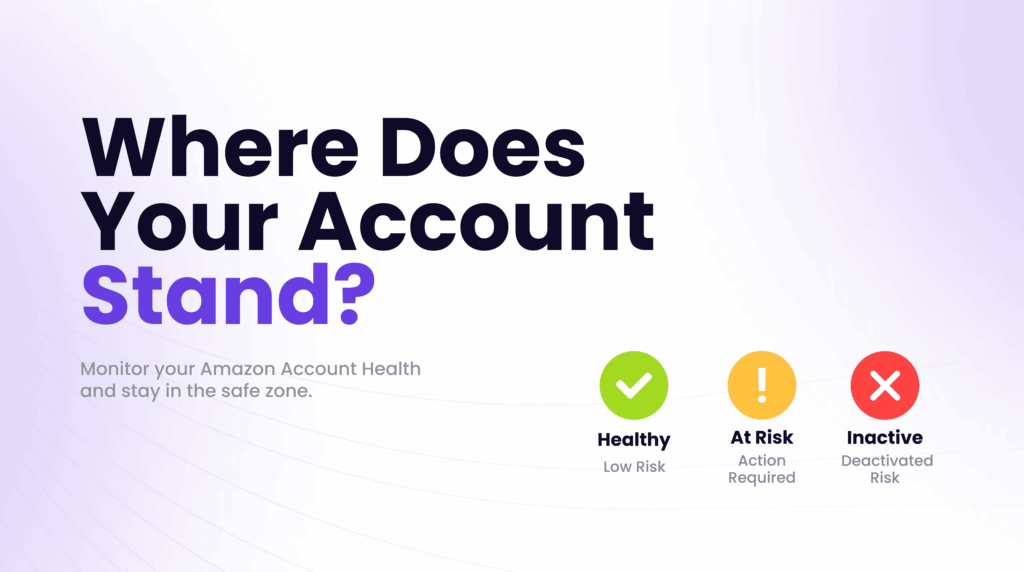
Your Amazon account health is not just a dashboard metric; it is the primary signal Amazon uses to decide whether you keep selling. A single unresolved violation can suppress your listings. A pattern of poor performance metrics can trigger a warning. And if your score drops far enough, Amazon can deactivate your account entirely.
What is Amazon account health? Amazon account health is how Amazon measures whether a seller account meets its customer service, shipping, and policy standards. You track it on the Account Health dashboard in Seller Central (Performance, then Account Health), which shows the Account Health Rating, performance metrics such as Order Defect Rate, and any policy violations. Weak account health can lead to listing removals, selling restrictions, or deactivation.
Amazon account health quick answers
What is Order Defect Rate?
Order Defect Rate (ODR) is the share of orders with negative feedback, an A-to-z Guarantee claim, or a credit card chargeback. Amazon asks sellers to keep ODR under 1%. Late Shipment Rate (under 4%) and Pre-fulfillment Cancel Rate (under 2.5%) are the other core metrics for seller-fulfilled orders.
What is a Plan of Action?
A Plan of Action is the written response you submit through the Account Health dashboard to fix a violation or appeal a deactivation. It should explain the root cause, the steps already taken to fix the issue, and the changes that will prevent it from happening again, with supporting documents such as invoices.
For help fixing violations or keeping metrics in range, see Amazon management services, or book a call.
Table of Contents
- A 2026 operating system for Amazon account health
- What Is Amazon Account Health?
- What Is the Amazon Account Health Rating?
- How to Check Amazon Account Health in Seller Central
- Policy Compliance Issues
- Performance and Fulfillment Issues
- Common Amazon Account Health Issues and How to Fix Them
- How to Increase Amazon Account Health
- What Is Amazon Account Health Assurance?
- AHA Eligibility Requirements
- Best Practices to Maintain Healthy Amazon Account Performance
- Operational Habits That Prevent Most Issues
- Conclusion
- Frequently Asked Questions
A 2026 operating system for Amazon account health
Quick answer: Account health should be managed as a cross-functional operating risk with daily monitoring, named owners, preserved evidence, and predefined escalation paths.
The dashboard is an alerting surface, not the complete process. Policy, product safety, catalog changes, fulfillment, returns, customer messages, and identity records can all create risk. Brands need one owner who can coordinate legal, operations, catalog, logistics, and advertising decisions when an issue appears.
What operators should decide
- Assign ownership: Name a primary operator and backups for policy notices, catalog issues, customer experience, fulfillment, and verification requests.
- Preserve evidence: Maintain invoices, authorization letters, compliance files, tracking, images, case IDs, and prior communication in an accessible record.
- Triage by business risk: Separate warnings, listing-level restrictions, funds risk, and account-level threats so response time matches potential impact.
- Close the root cause: Correct the process that produced the issue instead of submitting an appeal that only describes the immediate event.
2026 decision table
| Signal | What it means | Operator action |
|---|---|---|
| Repeated listing issue | A catalog or compliance process is failing | Fix the source workflow |
| Evidence is scattered | Response time and credibility will suffer | Create a controlled evidence library |
| No accountable owner | Cases can stall between teams | Assign one incident lead |
How to measure the work
Track unresolved issues, time to first response, time to resolution, recurrence, affected revenue, stranded inventory, and the number of cases lacking complete evidence. The goal is not just a clean dashboard. It is an operation that detects risk early and responds without losing control of the broader business.
Related Eva resources: Amazon management, Amazon search and AI optimization, Eva playbooks.
This guide explains what Amazon account health means, how the Account Health Rating works, what commonly causes problems, and exactly what to do to bring your score back up and keep it there.
What Is Amazon Account Health?
Definition
Amazon account health is Amazon’s real-time assessment of how well your seller account complies with their performance standards and marketplace policies. It is monitored through the Account Health dashboard in Seller Central and covers three core areas: customer service performance, shipping performance, and policy compliance.
It is not a single score or a simple pass/fail system. Rather, it is a combination of specific, measurable metrics (such as your Order Defect Rate and Late Shipment Rate) and policy-based violations (such as intellectual property complaints or listing inaccuracies) that together determine your standing on the platform.
When your account health is strong, you can sell, advertise, win the Buy Box, and access new product categories without restriction. When it weakens, whether due to rising defect rates, unresolved complaints, or policy warnings, Amazon begins to limit what you can do and, in serious cases, will deactivate your account.
In recent years, and continuing into 2026, Amazon has expanded enforcement across more marketplaces and introduced faster notifications, meaning sellers receive alerts sooner when something goes wrong, but the window to fix issues before they escalate has also tightened.
What Is the Amazon Account Health Rating?
The Account Health Rating (AHR) is a numerical score ranging from 0 to 1,000 that summarizes your overall account standing. It updates in near real-time based on your actions, violations, and order volume.
| Score | Status | Color | Risk Level |
| 200 and above | Healthy | Green | Low deactivation risk |
| 100–199 | At Risk | Yellow | Warning action required |
| 99 and below | Unhealthy | Red | Eligible for immediate deactivation |
A score of 200 or higher is considered Healthy, but this is a floor, not a target. Top-performing sellers aim to maintain scores well above 200. Reaching and maintaining 250 or higher for at least 6 months unlocks access to Account Health Assurance, Amazon’s program that provides a buffer against sudden deactivation.
What does ‘Account Health Rating 200’ mean?
It means your account is at the lowest edge of the Healthy range. A score of 200 keeps you technically safe from immediate action, but any new violation or metric issue could push you into the At Risk zone quickly. If your score is near 200, treat it as a warning and audit your account for unresolved issues before they compound.
Your score rises as you fulfill orders and resolve violations. Completing 200 fulfilled orders adds approximately 4 points to your AHR, meaning operational consistency and issue resolution are the most reliable ways to improve it over time.
How to Check Amazon Account Health in Seller Central
Checking your account health takes under a minute once you know where to look.
• Step 1: Log in to your Amazon Seller Central account.
• Step 2: In the left navigation menu, click Performance.
• Step 3: Select Account Health from the dropdown.
• Step 4: You will land on the Account Health dashboard.
On this page, you will see your AHR score displayed prominently, along with color-coded indicators across three sections: Customer Service Performance, Shipping Performance, and Policy Compliance. Green means you are within acceptable thresholds. Yellow signals a warning. Red requires immediate attention.
The Policy Compliance section shows any active violations, including the affected ASINs, the violated policy, and recommended resolution steps.
How often should you check?
At a minimum, check your Account Health dashboard once a week. If you are an FBM seller, a high-volume seller, or running during peak periods like Q4 or Prime Day, check it daily. Amazon’s notifications sometimes arrive after a threshold has already been crossed, so proactive monitoring is more reliable than waiting for an email alert.
Key Factors That Affect Amazon Account Health
Account health problems fall into two broad categories: performance metrics and policy compliance violations. These are different in nature, and confusing them leads to the wrong fix.
| Factor | Type | Required Threshold |
| Order Defect Rate (ODR) | Performance | Below 1% (60-day window) |
| Late Shipment Rate (LSR) | Performance | Below 4% |
| Pre-Fulfillment Cancellation Rate | Performance | Below 2.5% |
| Valid Tracking Rate | Performance | 95% or above |
| Policy violations (IP, safety, listing) | Compliance | Zero unresolved |
| Product authenticity complaints | Compliance | Zero unresolved |
| Restricted product listings | Compliance | Zero violations |
Policy Compliance Issues
Policy violations are distinct from performance metrics because they are not percentage-based; they are either present or resolved. An unresolved violation will drag down your AHR, regardless of how clean your shipping metrics are.
• Intellectual property (IP) complaints: If a brand owner or rights holder submits an IP claim against one of your listings, Amazon will flag it immediately. These need to be addressed with a counter-notice, a retraction from the complainant, or removal of the listing.
• Restricted product listings: Selling in a gated category without approval, or listing a prohibited product, triggers an immediate violation.
• Product authenticity complaints: If a customer or Amazon suspects your products are counterfeit or misrepresented, you will receive a compliance notice requiring proof of authenticity, typically supplier invoices or brand authorization letters.
• Safety and compliance documentation: For certain categories (children’s items, electronics, supplements), Amazon requires documentation like test reports or certificates of conformity. Missing or expired documentation results in listing suppression and potential violations.• Inaccurate listings: Misrepresenting product condition, bundling without proper disclosure, or misleading titles and descriptions are all policy violations and more common than sellers expect.
Performance and Fulfillment Issues
Performance metrics measure your operational consistency. Amazon tracks these over a rolling window (typically 60 days) and compares them against required thresholds.
• Order Defect Rate is the most consequential single metric. It captures negative feedback, A-to-Z Guarantee claims, and credit card chargebacks as a single combined percentage. Staying below 1% is the requirement, but top sellers maintain this below 0.3%.
• Late Shipment Rate tracks whether you are shipping by the promised date. For FBM sellers, this means setting realistic handling times and maintaining sufficient inventory and fulfillment capacity to meet them consistently.
• Pre-fulfillment cancellations happen when you cancel an order before shipping, usually because you are out of stock. Amazon treats these as a customer experience failure.• Valid Tracking Rate matters because Amazon uses tracking data to confirm delivery. If tracking is missing or invalid, Amazon cannot verify that the order was completed.
Common Amazon Account Health Issues and How to Fix Them
Use this troubleshooting matrix when you see a problem flagged on your Account Health dashboard.
| Issue | Likely Cause | Risk | What to Do Next |
| IP complaint | The brand owner filed a claim against your ASIN | High | File counter-notice or obtain retraction; remove listing if needed |
| High Order Defect Rate | Negative feedback, A-to-Z claims, or chargebacks accumulating | Critical | Identify root cause; contact buyers to resolve open claims |
| Late Shipment Rate above 4% | Slow processing, stockouts, or unrealistic handling times | High | Adjust handling time settings; improve inventory replenishment; consider FBA for problem SKUs |
| Cancellation rate above 2.5% | Stockouts or inventory sync errors | Medium | Improve demand forecasting; fix inventory sync if using third-party tools |
| Authenticity complaint | Customer or Amazon flagged the item as potentially counterfeit | Critical | Submit supplier invoices and brand authorization letters; do not just remove the ASIN |
| Missing compliance docs | Products require safety certs or test reports not on file | High | Upload required documents in the compliance portal; check category-specific requirements |
| Inaccurate listing complaint | Product description, condition, or images misrepresent the item | Medium | Correct the listing immediately; audit similar ASINs for the same issue |
| AHR below 200 | Accumulated unresolved violations and/or poor performance metrics | Critical | Contact Account Health Specialists before writing a Plan of Action; pulling ASINs alone does not restore points |
Important
When violations appear, removing the affected ASIN does not close the case. Amazon requires a submitted and accepted Plan of Action (POA) that describes the root cause, corrective steps, and preventive measures. Skipping this step leaves the violation unresolved and your score unchanged.
How to Increase Amazon Account Health
Improving your Account Health Rating requires addressing the specific issues pulling your score down. There is no universal shortcut. But these steps apply across almost every scenario.
1. Resolve open violations first
Open policy violations are the fastest way to damage your AHR, and resolving them is the fastest way to recover it. Check your Policy Compliance section and prioritize any items flagged red. Contact Account Health Specialists before writing your own POA. A poorly structured appeal can make the situation worse.
2. Bring performance metrics into the target range
If your ODR, LSR, or cancellation rate is elevated, identify the source before trying to fix it. Check whether problems are concentrated in specific SKUs, shipping carriers, or time periods. Broad operational improvements are less effective than targeted fixes.
3. Keep listings accurate and up to date
Audit your product catalog periodically, not just when something breaks. Outdated images, condition mismatches, incorrect bundle descriptions, or outdated keywords can all trigger listing complaints you will not see coming.
4. Monitor buyer feedback and claims in real time
Set up Performance Notifications in Seller Central under Settings so you receive alerts promptly. When negative feedback appears, respond quickly. For FBA sellers, request the removal of feedback related to fulfillment and shipping issues that were Amazon’s responsibility.
5. Maintain compliance documentation proactively
For products in categories requiring documentation, safety certificates, test reports, and material declarations, keep files organized and upload them before Amazon requests them. Reactive documentation is slower and riskier.
6. Use FBA strategically for high-risk SKUs
FBA sellers are not responsible for shipping-related performance metrics. If certain products consistently cause LSR or cancellation issues in your FBM operation, moving them to FBA may resolve the problem entirely.
7. Build order volume consistently
Your AHR increases as you fulfill more orders cleanly. Consistent fulfillment with no violations is the compounding force behind a strong, stable score. Each 200 fulfilled orders with no issues adds approximately 4 points.
What Is Amazon Account Health Assurance?
Definition
Amazon Account Health Assurance (AHA) is a free program that protects eligible sellers from account deactivation, provided they work with Amazon to resolve issues within 72 hours. When an issue arises that could trigger deactivation, an Account Health Specialist proactively contacts you, explains the problem, and walks you through the steps to resolve it.
As long as you respond within 72 hours and take the required corrective action, your account remains active throughout the process. Enrollment is automatic; you do not apply. Amazon sends a confirmation email when you qualify.
AHA Eligibility Requirements
• Professional selling plan (Individual plan sellers are not eligible)
• Active selling account for at least one year
• AHR score of 250 or higher maintained for at least 6 consecutive months, with no more than 10 days below 250 during that period• Valid emergency contact number on file in Seller Central
One important note
AHA does not eliminate the need to resolve violations. It simply allows you to resolve them without losing your selling privileges. If you fail to respond or take action within the 72-hour window, your account can still be deactivated even if you are enrolled.
Best Practices to Maintain Healthy Amazon Account Performance
Account health is not a one-time task. It is an ongoing operational discipline. Use this checklist as a weekly habit.
Weekly Account Health Checklist
☐ Chec. Ife Account Health dashboard and note any changes to your AHR score
☐ Review the Policy Compliance section for new violations or warnings
☐ Check your Order Defect Rate trend, look for spikes before they compound
☐ Read through new customer feedback and address any negative reviews
☐ Confirm that Late Shipment Rate and Cancellation Rate remain within target thresholds☐ Review any open cases with Amazon support and follow up on pending responses
Operational Habits That Prevent Most Issues
• Set realistic handling times that reflect your actual fulfillment capacity, not your best-case scenario.
• Document your supplier relationships and keep invoices organized if an authenticity complaint arrives, having supplier invoices ready to submit immediately can be the difference between a quick resolution and a prolonged suspension.
• Audit your listings before and after catalog changes. Bulk listing edits, third-party tool syncs, and category migrations can all introduce unintended changes.
• Respond to Amazon performance notifications immediately, even if you are not ready to file a formal POA. Acknowledging receipt buys goodwill; ignoring notices does not.• During peak periods, Q4, Prime Day, or promotional events, set conservative expectations and temporarily adjust handling times if needed. Amazon does not grade on a curve during high-volume periods.
Conclusion
Amazon account health is not a background metric you check when something goes wrong. It is an active indicator of your business’s standing in the marketplace, and the closer you monitor it, the fewer surprises you will face.
Sellers with strong account health are not necessarily the ones who never have issues. They are the ones who catch problems early, resolve them properly, and build habits that prevent the same issues from recurring. That means checking your Account Health dashboard regularly, keeping listings clean, documentation current, and fulfilling orders consistently enough to earn and keep a score above 250.
Start with the dashboard. Resolve what is open. Then build the monitoring cadence that keeps your account healthy week after week.
Amazon account health and FBA guides in this hub
- Amazon appeal process guide: root cause, corrective action and reinstatement
- Preventing costly Amazon mistakes and suspensions: common pitfalls and how to prevent them
- Amazon FBA agency guide: what an FBA agency manages and when to hire one
- Amazon FBA reimbursement guide: reconciliation and recovery of lost or damaged inventory
- Amazon reimbursement services: how to evaluate and choose a service
- Amazon FBA vs FBM: choosing a fulfillment model
- Amazon FBA order fulfillment: order management, returns and buyer messaging
For hands-on help, see Amazon account management or Amazon FBA reimbursement services, or book a call.
Frequently Asked Questions
What is account health in Amazon?
Amazon account health is an assessment of how well your seller account complies with Amazon’s performance standards and marketplace policies. It covers customer service performance, shipping performance, and policy compliance. Poor account health can result in listing suppression, selling restrictions, or account deactivation.
What is Amazon Account Health Rating 200?
A score of 200 is the lower boundary of the Healthy rating range. Accounts with a balance of 200 or more appear green in Seller Central and are not at immediate risk of deactivation. However, 200 is the floor below which a single new violation can quickly push a score near 200 into the At Risk zone. Sellers should aim for 250 or higher to qualify for Account Health Assurance.
How do I raise my Amazon account health?
Raising your AHR requires resolving open policy violations, improving any performance metrics that are out of range (ODR, LSR, cancellation rate), and fulfilling orders consistently. Contact Account Health Specialists before submitting a Plan of Action, as a well-structured POA is critical to clearing violations.
How do I check my Amazon seller account health?
Log in to Seller Central, click Performance in the left menu, then select Account Health. Your AHR score appears at the top of the Policy Compliance column, with color-coded indicators across customer service, shipping, and policy sections. You can also view your score history on the Account Health Assurance eligibility page.
What causes Amazon account health issues?
The two primary causes are policy compliance violations and poor performance metrics. Policy violations include IP complaints, restricted product listings, authenticity issues, and inaccurate listings. Performance metric issues include a high Order Defect Rate, elevated Late Shipment Rate, or too many pre-fulfillment cancellations. Both categories affect your AHR but require different types of fixes.
Related Eva guide: When prevention fails, a precise corrective-action process matters. Continue with Eva's Amazon appeal and reinstatement guide for root cause, evidence, and controls.
Supplement sellers can apply this account-health process with the category-specific documentation and claims controls in Eva’s supplement marketplace compliance guide.